

Your menu
In the editor: Settings → Menu. It has four lists, each in the order your site shows them (drag to reorder):
- Header: the links at the top of every page. On phones, they’re behind the menu button.
- Footer: first column, second column and third column: the links at the bottom of every page.
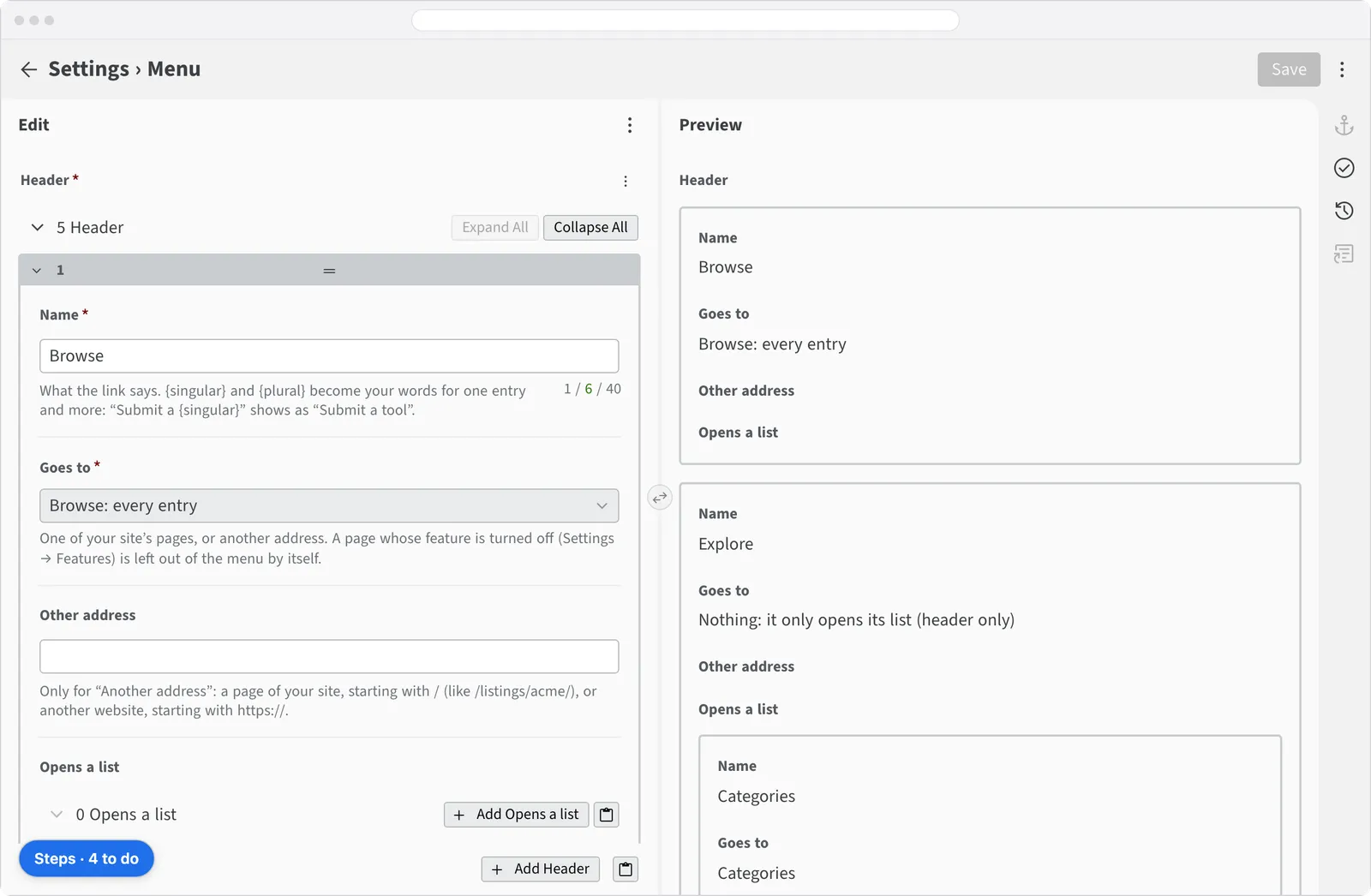
Add a link
Section titled “Add a link”- In the list, add one.
- Name: what the link says.
{singular}and{plural}become your words for one entry and more, so “Submit a {singular}” shows as “Submit a tool”. - Goes to: one of your site’s pages, like Categories, Blog or About. For anything
else, choose Another address (below) and fill in Other address: a page of your site,
starting with
/(like/listings/acme/), or another website, starting withhttps://. - Click Save. Your site updates in about 3 minutes.
A link to a page whose feature is turned off (Settings → Features), or to your blog while it has no posts, is left out of the menu by itself, and comes back when the page does.
A link that opens a list
Section titled “A link that opens a list”In the Header, a link can open a small list of links under it, like Explore on a new site:
- Its Goes to: Nothing: it only opens its list (header only).
- Under Opens a list, add its links, as above.
If a link can’t be used
Section titled “If a link can’t be used”A link that can’t be used (Another address with no address, say) is left out of the menu, and the rest stays. A note in the editor says which one, and why.